Find the next deal with precision, and act at the right moment.

Every client. Every mortgage. Every opportunity, surfaced, validated, and timed.

Get Started
laptop-image

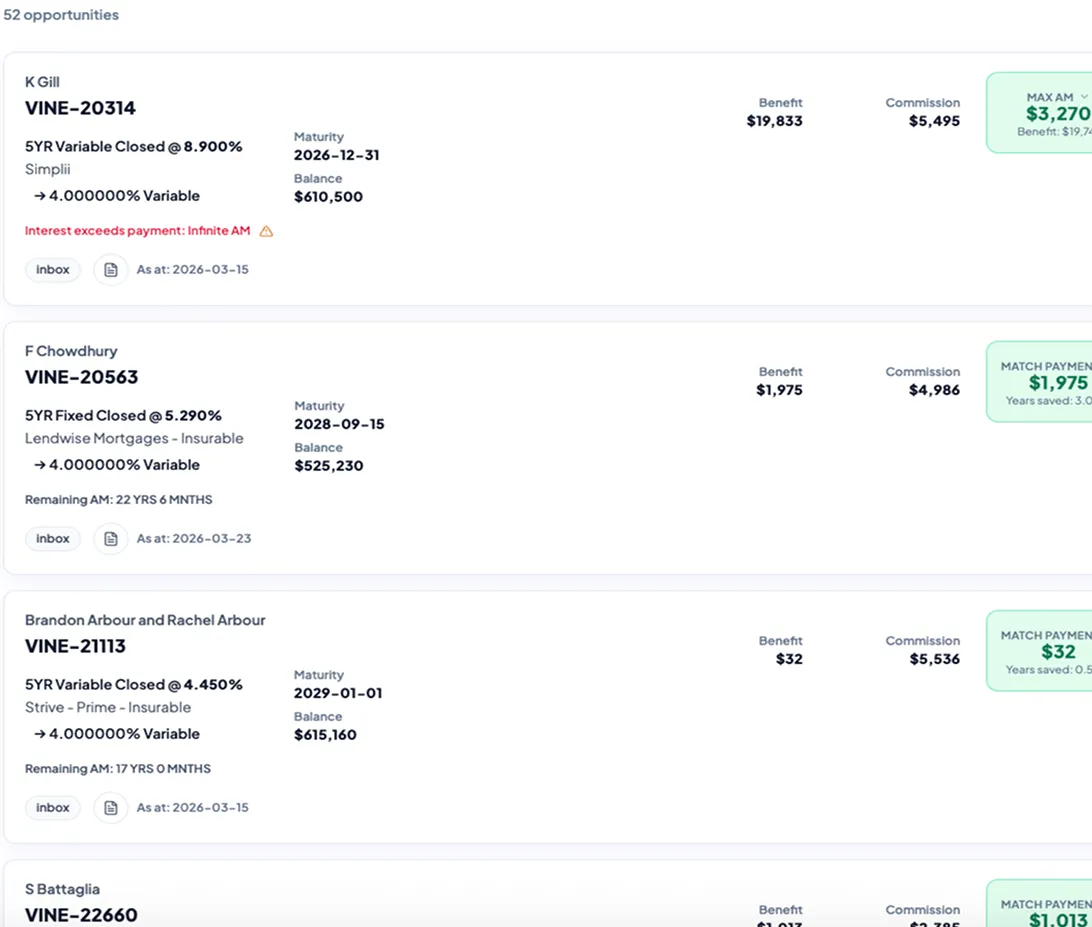
Meet OPM Dashboard, powered by PPM, one of the industry's most trusted tools for accurate mortgage analysis.

Your deal-finding assistant, scanning your database to surface real opportunities and keep your pipe 1322 x 169


dots-imagedots-image
accuracy-icon

Accuracy You Can Act On

We simplify loan terms and penalties so you're always informed.
search-icon

No Guesswork. No Manual Work.

From your first few deals to a full database, OPM continuously surfaces who to call and why, so you can focus on acting, not digging through files.
community-icon

More than a tool. A community.

Join 1,600+ brokers inside The PPM Network where real deals are broken down and you can see what's actually working, so you can apply it to your own deals immediately.
see-icon

See What’s Coming Next

Identify deals that aren’t opportunities today but will be, and plan ahead to build your pipeline.

How many deals are hiding in your database right now?

Find Out Now

How it works

Screenshot-img
Step 1
Add one (or more) mortgages
Securely add one or more mortgages to OPM.
Screenshot-img-2
Step 2
OPM monitors data daily
OPM continuously scans your database to identify refinance and restructuring opportunities.
Screenshot-img
Step 3
Focus on the best deals
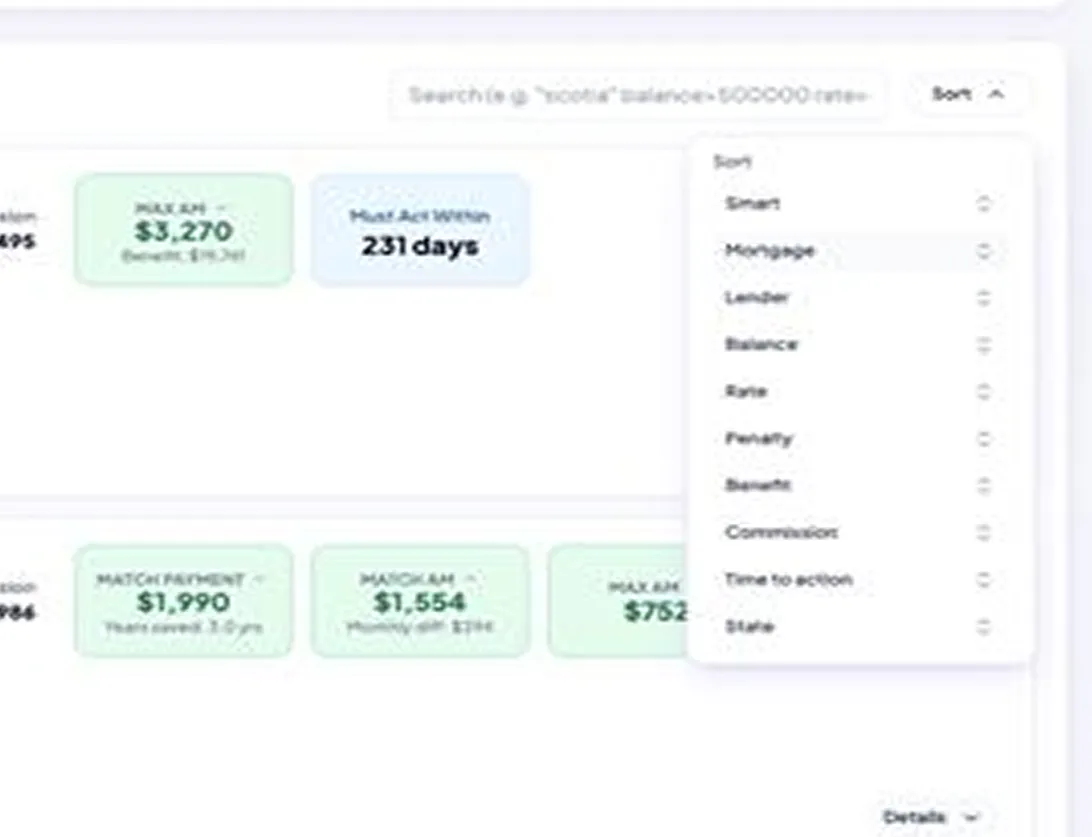
Opportunities are prioritized based on interest savings, cash flow improvement, and commission potential.

80%

of brokers don't maintain their data.

Most are sitting on deals they'll never see.

>$5K

average client savings.

Real opportunities, backed by clear financial impact.

1,600+

brokers in The PPM Network.

Learn, share, and see how top brokers are structuring real deals.

Real results from real brokers

video image
video image
video image
video image

Opportunities don't wait. Neither should you.

Choose your setup

No contracts. No upfront fees. Just real opportunities and measurable savings.

OPM (Find Opportunities Automatically)

PPM Tools (Analyze deals)

Starter Package + OPM
$130 /Per Month
check-icon
OPM dashboard
check-icon
Continuous client
monitoring up to 200 mortgages
check-icon
Automatically identify refi opportunities in your database
check-icon
Penalty Calculator
check-icon
Explorer Tool
check-icon
Detailed penalty forecasting
check-icon
The PPM Network community chat for support and learning
check-icon
Exclusive OPM group chat for advanced strategies and insights
Get Started Now
Deal Maker Package + OPM
$150 /Per Month
check-icon
Everything in the Starter Package + OPM, plus the Comparison Tool
check-icon
Comparison Tool:
  • Analyze and compare deal scenarios with confidence
  • Calculate multiple penalties on the same property
  • Factor unsecured debt for consolidation
  • Compare break vs. replace mortgage strategies
  • Compare current vs. new mortgage balances
Get Started Now
Starter Package + PPM Tools
$90 /Per Month
check-icon
Penalty Calculator
check-icon
Calculate penalties for 50+ lenders
check-icon
Interactive graphs & penalty forecasting
check-icon
Save and modify previous calculations
check-icon
Downloadable PDF summaries
check-icon
The PPM Network community chat for support and learning
Get Started Now
Deal Maker Package + PPM Tools
$140 /Per Month
check-icon
Everything in the Starter Package
check-icon
Comparison Tool:
  • Compare break vs. replace mortgage strategies
  • Compare current vs. new mortgage balances
  • Explorer Tool
  • Factor unsecured debt for consolidation
  • Compare cash flow improvements
  • Calculate multiple penalties on the same property
Get Started Now

The market might slow down. You shouldn’t. Stay ahead and work your book like a top producer.

Get Started

What's included

Opportunity Discovery
OPM Packages
PPM Tools
Feature
Starter
+OPM
Deal Maker
+OPM
Starter
Deal Maker
OPM opportunity dashboard
tick tick
tick tick
Continuous client monitoring
tick tick
tick tick
Identify refinance opportunities in your database
tick tick
tick tick
Identify interest savings opportunities
tick tick
tick tick
Community chat for support and learning
tick tick
tick tick
Exclusive OPM group chat for advanced strategies and insights
tick tick
tick tick
Mortgage Penalty & Analysis Tools
Feature
Starter
+OPM
Deal Maker
+OPM
Starter
Deal Maker
Penalty calculations for 50+ lenders
tick tick
tick tick
Interactive graphs & forecasted penalties
tick tick
tick tick
Detailed penalty forecasting
tick tick
tick tick
Predict penalty behaviour with precision
tick tick
tick tick
Resume & modify previous calculations
tick tick
tick tick
Downloadable PDF summaries
tick tick
tick tick
Advanced Deal Structuring
Feature
Starter
+OPM
Deal Maker
+OPM
Starter
Deal Maker
Calculate multiple penalties on same property
tick tick
tick tick
Factor unsecured debt for consolidation
tick tick
tick tick
Break vs. replace mortgage comparison
tick tick
tick tick
Compare cash flow
tick tick
tick tick
Mortgage balance comparison (current vs. new)
tick tick
tick tick

Frequently Asked Questions

White question mark inside a dark green circle with a white ring border.
What are the Prepayment Penalty Mentor Tools?

Prepayment Penalty Mentor (PPM) Tools are mortgage analysis tools designed to help brokers calculate penalties, compare refinancing scenarios, and identify opportunities to save clients money. The platform simplifies complex mortgage calculations and helps brokers make more confident recommendations.

White question mark inside a black circle with a gray background.
How accurate are your calculations?

Our calculations are built using lender-specific formulas and updated mortgage data to provide highly accurate estimates. While final figures may vary slightly depending on lender adjustments or policy changes, the tools are designed to deliver reliable results brokers can confidently work with.

Black circle with a large white question mark inside.
What's the difference between the plans?

The Starter plans provide access to core mortgage penalty and analysis tools, while the Deal Maker plans include advanced deal structuring features like mortgage comparisons, debt consolidation analysis, and cash flow comparisons. Plans with OPM also include automated opportunity monitoring and client database scanning.

Circular icon with a white question mark inside a thin black ring on a white background.
What kind of penalties can I calculate?

You can calculate a variety of mortgage prepayment penalties, including fixed-rate penalties, variable-rate penalties, IRD calculations, and multiple penalties on the same property depending on the lender and mortgage structure.

Circular icon with a bold question mark inside a thick outline.
Do the tools work for all lenders?

The tools support calculations for 50+ lenders and are continuously updated to reflect lender guideline changes. Coverage includes many major Canadian lenders and commonly used mortgage products.

Blue circle with a white question mark inside, symbolizing help or inquiry.
Can I compare penalty costs vs. savings from a new mortgage?

Yes. The platform allows you to compare existing mortgage costs against potential refinancing savings, including break vs. replace scenarios, cash flow improvements, and long-term savings opportunities.

White question mark inside a black circle with a thin white border on a white background.
Can I generate reports or share results with clients?

Yes. You can generate downloadable PDF summaries and share mortgage comparison results, penalty calculations, and refinance scenarios directly with clients for clearer communication and decision-making.

White question mark inside a black circle with a gray background.
Are the tools updated regularly?

Yes. The platform is updated regularly to reflect lender changes, mortgage product updates, and evolving market conditions to help ensure calculations remain accurate and relevant.

White question mark inside a black circle with a gray background.
Is there training or support available?

Yes. Members receive access to community support, educational resources, and The PPM Network where brokers can learn strategies, discuss deals, and get help using the tools effectively.

White question mark inside a dark green circle with a white ring border.
How do I log in to my account?

Once your subscription is active, you’ll receive your login credentials by email. Simply use your registered email and password to access your dashboard and tools.

White question mark inside a black circle with a gray background.
I forgot my password. What should I do?

Click the “Forgot Password” option on the login page and follow the instructions to reset your password securely.

Black circle with a large white question mark inside.
Can I access the platform on multiple devices?

You can access your account from desktop, laptop, and mobile devices using your login credentials.

Circular icon with a white question mark inside a thin black ring on a white background.
Is my client data secure?

We use secure systems and encrypted connections to help protect your data and keep your information private.

Circular icon with a bold question mark inside a thick outline.
Can multiple team members use one account?

Accounts are intended for individual use unless otherwise specified in your subscription plan. Contact support for team or brokerage access options.

White question mark inside a dark green circle with a white ring border.
Are there any contracts or long-term commitments?

All plans are month-to-month with no long-term contracts or commitments required.

White question mark inside a black circle with a gray background.
Can I cancel my subscription anytime?

You can cancel your subscription at any time directly from your account settings or by contacting support.

Black circle with a large white question mark inside.
Can I access the platform on multiple devices?

There are no upfront setup fees. You only pay the monthly subscription fee for your selected plan.

Circular icon with a white question mark inside a thin black ring on a white background.
What payment methods do you accept?

We accept major credit cards and other supported online payment methods during checkout.

Circular icon with a bold question mark inside a thick outline.
Do you offer refunds?

Refund policies may vary depending on the situation. Please contact support for billing-related questions or refund requests.

White upward arrow inside a red circular button.